

Resetting a thermostat restores its factory settings and clears the glitches behind poor heating or cooling. For most models, you turn off the unit, cut power at the batteries or breaker for 30 seconds to a few minutes, then restore power. Programmable, digital, low-voltage, and mechanical thermostats each reset a little differently, so the right method depends on the type mounted on your wall.
A reset clears many common glitches, but it will not fix everything. If your thermostat still will not hold a temperature – or you notice corroded wiring, a blank display, or a system that ignores the settings – the fault likely lies deeper in the unit. During a Stockton summer, an unresponsive thermostat that leaves the AC off is worth resolving quickly, and the licensed team at Greener Solutions can track down the cause.
How to Reset a Thermostat in Your Home
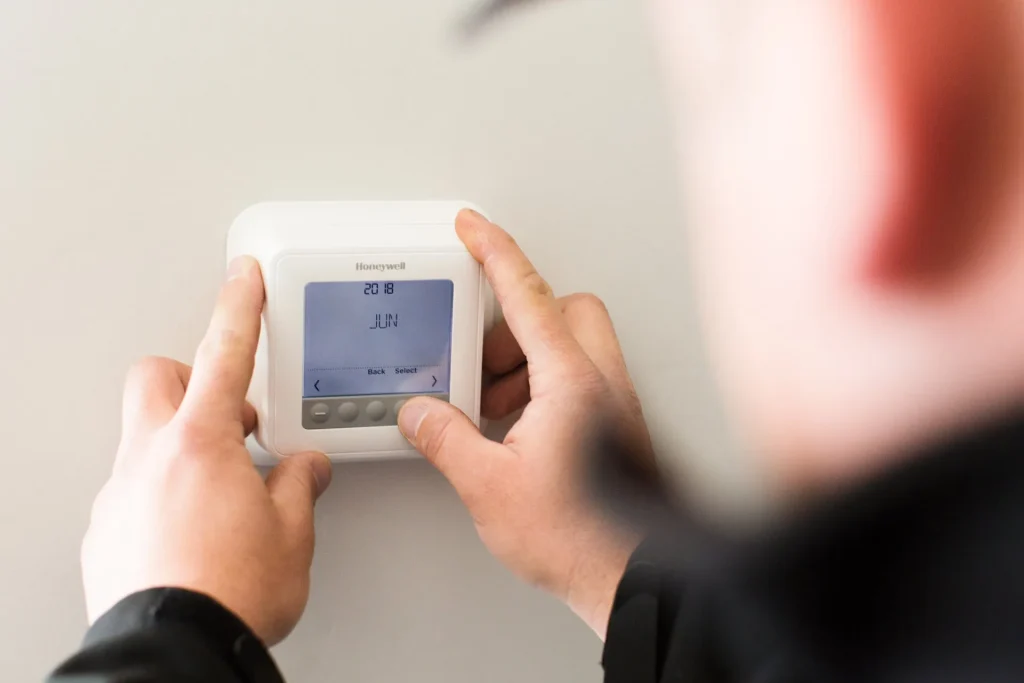
Sometimes thermostats can start to act up. When your home is not being heated or cooled properly, it might be time to reset your home’s thermostat. There are several reasons why a thermostat may be on the fritz so resetting it generally solves the problem by returning the unit to its default factory settings. Different models may have different ways to initiate a reset. It helps to check the instructions first before moving forward but resetting the thermostat is often the first step in troubleshooting heating and air conditioning inefficiencies.
Why Does My Thermostat Need to Be Reset?
Whenever an HVAC system starts to act up, resetting the thermostat is oftentimes one of the first things to do. Similar to other electronics, like computers, a reset can restart the device and eliminate any problems. The following circumstances are common reasons why thermostats need to be reset:
- There has been a power outage
- The batteries have been changed
- HVAC filters have been cleaned or replaced
- Someone has changed the desired settings of the thermostat
- Electric bills are increasing
- The thermostat has died
- The settings of the thermostat need to be changed.
Find Thermostat Reset Instructions
It is important to find the instructions and follow the directions to reset the thermostat properly. If those instructions are not at hand, the manuals can usually be found online. There are resources available provided by the manufacturer and oftentimes videos are also available on YouTube. To find the instruction manuals online, just search for the thermostat’s manual for your specific model number. This will usually result in free downloadable PDFs that are specific to the model you are trying to reset.
Ways to Reset Different Thermostats
There are several different types of thermostats that vary by make and model. Each type comes with their own specific way of resetting.
Programmable Thermostat
To reset a programmable thermostat, you need to remove the batteries or change their direction for a short period:
- Turn off the thermostat by switching the power switch to the off position.
- Remove the battery panel which may require the entire thermostat to be removed from the wall.
- Take out the batteries.
- Flip the batteries so that the positive ends of the battery line up with the negative terminal for 5 seconds
- Flip the batteries back into their normal operating position.
- Once it is turned back on, the display should reactivate, and the factory settings should be reset.
Line Voltage or Low Voltage Electronic Thermostat
Line voltage and low voltage thermostats are electrically different, so it helps to know which one you have. Line voltage models carry 120 to 240 volts and are usually wired directly to electric baseboard heaters or electric furnaces. Low voltage models run on 24 volts and control most central heating and cooling systems. Low voltage thermostats come in single stage and multistage versions – a single stage model controls single stage equipment that has one level of heating and cooling, while a multistage model controls multi stage equipment such as a two stage furnace or a heat pump with backup heat. Older units of either type often do not have a digital display, though newer versions do. To reset either type, follow these steps:
- Safety first: a line voltage thermostat carries 120 to 240 volts, so shut off power to it at the breaker panel before you remove the cover or touch any wiring.
- Turn off the thermostat.
- Go to the breaker panel and switch off the breaker that powers the thermostat and its heating or cooling equipment.
- Leave the power off for at least 30 seconds.
- Switch the breaker back on.
- Turn the thermostat back on and set it to your desired temperature to confirm it has reset.
Non-Programmable Digital Thermostat
This type of thermostat is the easiest to reset. There is usually a small reset button somewhere on the unit. Finding this button may require that the front panel be removed and pressing this button may require something like a paperclip to push. Hold that button down for 5 seconds and the unit should reset. Another option is just taking out the batteries for 5 seconds, which should also do the trick.
Mechanical Thermostat
Mechanical thermostats are not battery operated and are mounted directly into the wall. They are non-programmable and must be turned on and off by hand. To reset this type, simply turn off the thermostat and flip the circuit breaker. This can be done by going to the breaker panel and turning off the appropriate breaker switch for 30 seconds. After turning the breaker back on, switch the thermostat back on and it should be reset.
Once The Thermostat is Reset, What Are the Optimal Temperature Settings?
Once the thermostat is reset, it is important to set the temperature to a level that is comfortable but does not waste excess energy. This matters because setting it too high makes the HVAC system run longer and harder than it needs to, which shortens the lifespan of the heating and air conditioning unit. When a home is occupied, a temperature between 68 and 78 degrees Fahrenheit is optimal. Anytime a home is empty those temperatures can be raised by 15 degrees. It is important to remember that every degree your HVAC system doesn’t have to meet, can help save 1% of your monthly energy bill.
Other Problems That Could Be Causing Thermostat Problems
If the thermostat is acting up and resetting it does not resolve the problem, there may be other issues that need to be addressed. The following are all thermostat problems that may need further inspection and possible repair.
- Debris or corrosion. If the thermostat is extremely dirty, it could prompt a connection problem. Debris buildup can prevent wiring from making contact with terminals, and simply cleaning it usually resolves the problem. This may require the unit to be unmounted to clean properly, but this should be easy enough with a screwdriver. Cleaning it out can be done using a soft brush and a vacuum. If there is corrosion, it can be removed with electronic contact cleaner.
- Power and wiring. If the thermostat is still not working after it has been thoroughly cleaned, there may be another source of power failure. This might be due to dead batteries or faulty wiring. If replacing the batteries does not return power, be sure to check the wiring using voltage meter. If one is not accessible, there is an alternate way to test power. Each wire is labeled with a corresponding letter: R = power W = heating Y = cooling G = fan
- Connect the power wire to the other 3 wires, one at a time to see if any of the components start up. If they fail to turn on, there is likely a power failure that would require professional help to fix.
- If you are operating with a mechanical thermostat, it will have a component called a heat anticipator. This small resistor adjusts how long the furnace burner runs each cycle, which reduces temperature overshoot and short cycling. It does not set the target temperature, since you set that with the thermostat dial. If the heat anticipator is malfunctioning, it will cause the furnace to not work when needed. Fixing this can be complicated and time consuming and may require professional assistance if a few attempts to fix it yourself do not work. To attempt a reset, move the calibration arm on top of the anticipator closer to where it is marked “longer” if the furnace is short cycling or if the heater is not reaching the desired temperature, and toward “shorter” only if the room overshoots the desired temperature. Let the furnace run for a few hours to see if the problem is fixed and repeat the process as necessary.
Thermostat Tips to Save Money
To save money on energy bills, be sure to follow these thermostat best practices:
- Maintain a regular temperature. It helps save money by not cycling the HVAC system on and off on full blast when you need it. These systems work much more efficiently if they can maintain a solid temperature over a long period of time.
- Don’t overwork the HVAC system. Keeping a room constantly cold or hot keeps the HVAC system operating at maximum effort. This overworks the system causing a shortened lifespan and much more maintenance. Turn your thermostat to reasonable levels so the HVAC system is used optimally.
- Program the thermostat. Modern thermostats can be set so they turn on and off at certain times. If there is a consistent schedule when the family is away from the home, the thermostat can be programmed to not be in use. The same function can also be used to pre-activate the HVAC system so a home is comfortable when individuals return home.
Contact Greener Solutions If You are Having Thermostat Problems
If you are still experiencing thermostat problems or other HVAC issues, it may be time to enlist the help of qualified professionals. The team at Greener Solutions Heating & AC are licensed and experienced HVAC experts who can help diagnose and repair any HVAC related problems. Call GS Home Services today to schedule an inspection with one of our HVAC technicians so we can get your home back to a comfortable level.